Download Octohide VPN APK – Free Secure VPN, Military-Grade Encryption, Global Server Access
Overview
Octohide VPN APK is a mobile security and privacy application designed for Android users seeking a fast, user-friendly, and free solution to protect their online activities. The software enables one-click connectivity without requiring registration or complex setup, making it accessible to both novice and experienced users. Its primary purpose is to safeguard internet traffic through advanced encryption and a strict no-browsing log policy, ensuring user data remains private and untraceable.
The app is particularly useful for individuals concerned about online surveillance, public Wi-Fi risks, or geo-restricted content access. While the developer did not provide additional details about the company’s background, the app’s focus on simplicity and security suggests it targets privacy-conscious consumers and mobile users who value convenience without sacrificing protection. Real-world usage scenarios include secure browsing on public networks, accessing region-locked streaming services, and protecting personal data during remote work or travel.
The app operates as a desktop-independent tool, functioning entirely within the Android ecosystem.
Key Features & Capabilities
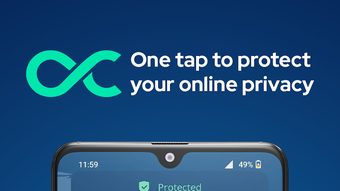
- One-Click Connection: Users can activate the VPN with a single tap, eliminating the need for lengthy configuration or technical knowledge.
- Military-Grade Encryption: The app employs advanced encryption protocols to secure data transmissions and protect against interception.
- Kill Switch Functionality: Ensures internet access is blocked if the VPN connection drops, preventing data leaks during disruptions.
- Global Server Network: Offers free servers in countries including Germany, the UK, Poland, Bulgaria, Romania, Singapore, the Netherlands, Amsterdam, and Los Angeles, with premium servers available in Belgium, Canada, Japan, Malaysia, India, France, Hong Kong, Vietnam, and more.
- No-Browsing Log Policy: Servers run in RAM, ensuring that user activity is not stored or logged, enhancing privacy.
- App-Level Control: Users can selectively route specific applications through the VPN while allowing others to connect directly, providing granular control over online security.
- Multi-Language Support: Available in 19 languages, including English, Spanish, Italian, German, Japanese, Portuguese, Turkish, and French, catering to a diverse international user base.
These features collectively support scenarios such as secure remote access, anonymous browsing, and bypassing regional content restrictions. The combination of encryption, kill-switch protection, and selective app routing allows users to maintain privacy while retaining flexibility in daily app usage.
User Interface, Workflow & Performance
The user interface of Octohide VPN APK is designed for simplicity and intuitive navigation, featuring a clean layout with minimal visual clutter. Core functions—such as connecting to a server and managing app-specific routing—are accessible through clearly labeled buttons and toggles. The workflow is streamlined, allowing users to establish a secure connection with a single tap.
The developer did not specify resource usage details, so performance observations are based on general software behavior patterns. The app is described as lightweight and fast, suggesting efficient CPU and RAM utilization. However, users may experience occasional unexpected disconnections from servers, which could disrupt uninterrupted browsing or streaming.
While the app maintains stability during regular operation, the frequency and cause of these disconnections are not detailed. No information was provided regarding background processes, battery consumption, or long-term performance under sustained use. Overall, the interface prioritizes usability, but real-world performance may vary depending on network conditions and server availability.
Compatibility & System Requirements
Octohide VPN APK is compatible with Android operating systems, though specific version requirements were not listed. The installation file size is 13.8 MB, indicating a lightweight footprint suitable for devices with limited storage. The developer did not provide additional system requirements, including minimum RAM, processor specifications, or storage capacity.
Compatibility information is limited to the platform, with no mention of tablet support, rooted devices, or other Android variants. Users should ensure their device meets general Android compatibility standards for third-party app installation. The app is distributed as an APK file, which may require enabling "Install Unknown Apps" permissions on certain Android versions.
No information was provided regarding updates or compatibility with future Android releases.
Pros and Cons
Pros
- Free to use with no registration or setup required
- One-click connection for instant access
- Advanced military-grade encryption for strong data protection
- Kill switch prevents data leaks during connection drops
- Extensive server network with free and premium options across multiple countries
- Strict no-browsing log policy with RAM-based servers
- Granular app-level routing control
- Supports 19 languages for global accessibility
Cons
- Occasional unexpected server disconnections reported
- Exact system requirements not specified
- Performance under sustained use not detailed
- APK distribution may require manual installation
- Limited information on update frequency and long-term stability
FAQ Section
Is Octohide VPN available for iOS devices?
Octohide VPN APK is currently designed for Android only. No information was provided regarding iOS compatibility or availability on Apple devices.
Is the app safe to download and use?
Octohide VPN is distributed as an APK file, which is a standard Android package. The app claims to follow a strict no-browsing log policy and uses military-grade encryption. However, users should download the APK from trusted sources to avoid potential security risks.
Does Octohide VPN require a subscription?
The app is free to use, with access to both free and premium servers. While the base version is free, premium server access may require a paid upgrade, though specific pricing details were not provided.
Can I use Octohide VPN while using other apps?
Yes, the app supports running in the background while other applications are in use. Users can also choose which apps use the VPN and which connect directly to the internet, offering flexibility in online activity management.
How often does Octohide VPN update?
The release date for the current version (2.2.1) is June 15, 2024. However, the developer did not specify the update frequency or release schedule for future versions.
Final Thoughts
Octohide VPN APK presents a compelling option for Android users seeking a free, fast, and privacy-focused VPN solution. Its one-click functionality, robust encryption, and kill-switch feature address core security concerns, while the extensive server network and app-level routing provide practical flexibility. The no-browsing log policy and multi-language support further enhance its appeal to a global audience.
Despite the potential for occasional server disconnections, the app remains a strong contender in the mobile privacy space. For individuals who prioritize ease of use, security, and accessibility, Octohide VPN offers a reliable and efficient tool. The absence of registration and minimal setup makes it ideal for quick deployment.
Download Octohide VPN now to experience secure, private, and seamless internet access on your Android device.


